
2x FPS
Massive FPS Boost (2x FPS)
Get more than 2x your usual framerate with our built-in performance optimizations and handpicked FPS-boosting mods. Play smoother, react faster.

FastClient
Dominate the game with unmatched performance. Built for players who want every advantage.
Available for Windows and Linux

FastClient
Performance, customization, and flexibility — all built right into Fast Client.
2x FPS
Get more than 2x your usual framerate with our built-in performance optimizations and handpicked FPS-boosting mods. Play smoother, react faster.
100+ Free
Choose from hundreds of free skins and capes directly inside Fast Client. Customize your look without any extra cost — just pick and play.
AnyMod
Missing a specific mod? Add any Fabric mod directly into Fast Client. Easily manage, toggle, and organize all your mods in one place.
Average FPS comparison:
Average FPS comparison:
Fast Client
Experience Minecraft like never before. Fast Client's optimized rendering engine delivers up to 60% more frames per second compared to other popular launchers. Less lag, smoother gameplay, and the competitive edge you need to win.
* Benchmark on Intel i7-12700K, RTX 3070, 32GB RAM
Media
Play and manage your profiles directly from the launcher. Connect to partner servers and join multiplayer communities instantly.
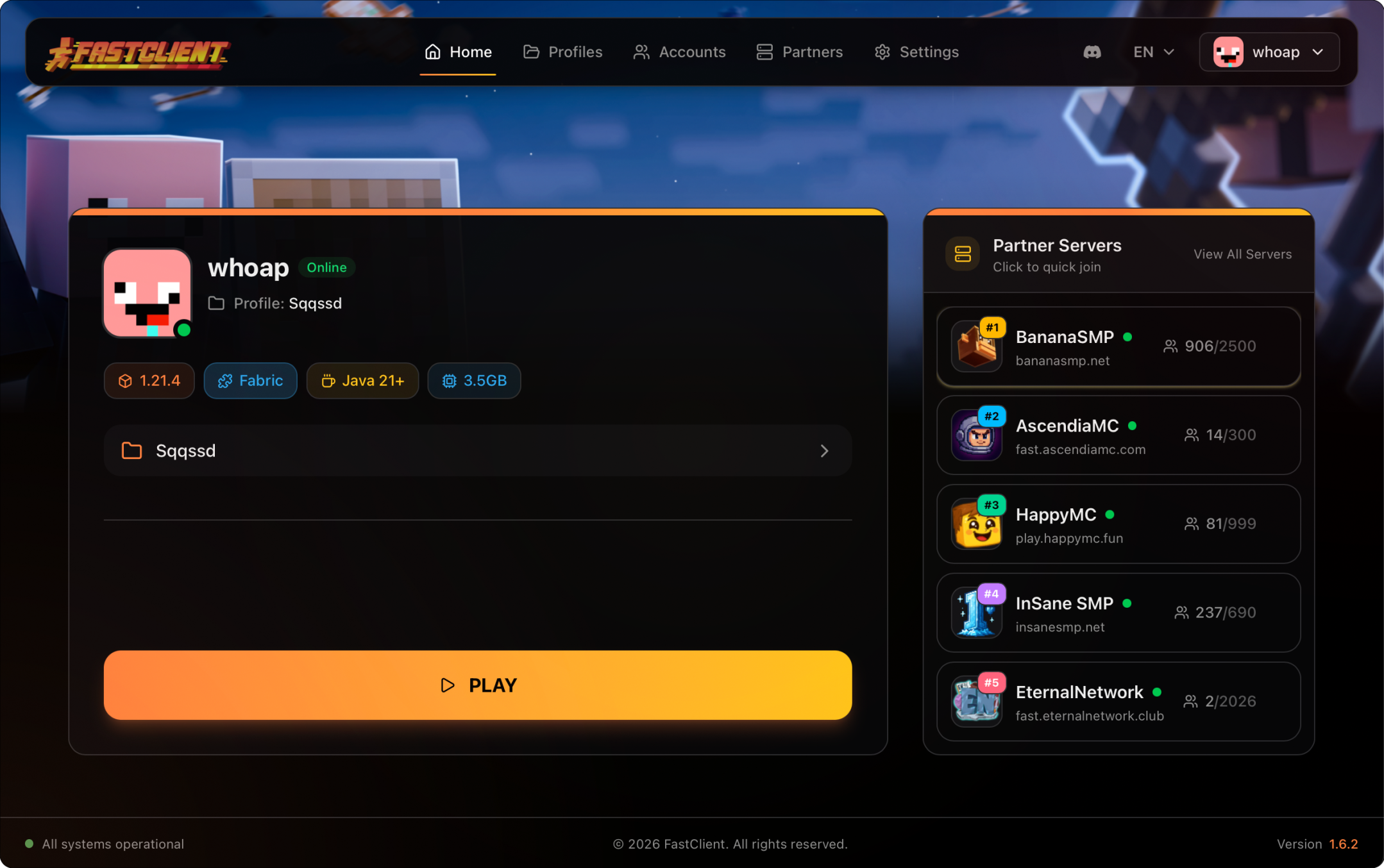
Watch Demo
Getting started with Fast Client is quick and easy. Watch our step-by-step tutorial to learn how to download and install the launcher on your PC. In just a few minutes, you'll be ready to experience Minecraft with boosted performance, built-in mods, and all the features Fast Client has to offer.
FastClient
FastClient is a free, lightweight Minecraft launcher designed for players who want the best performance without the complexity. Built from the ground up with modern technology, FastClient provides a clean, fast alternative to the official Minecraft launcher while offering features like one-click mod installation, profile management, and built-in performance optimizations.
Whether you're looking for higher FPS, easier mod management, or simply a faster way to launch Minecraft, FastClient delivers. Trusted by thousands of players worldwide, FastClient combines the best features of popular launchers like TLauncher, Prism Launcher, and MultiMC into one streamlined experience.
FastClient works with Windows 10/11, macOS (Intel & Apple Silicon), and Linux. Supports Minecraft Java Edition 1.20.x, 1.21.x, and all future versions. Requires Java 17 or higher (automatically detected and configured).
FastClient
FastClient
FastClient is the best free Minecraft launcher for Windows, macOS, and Linux. Download FastClient to boost your Minecraft FPS, install mods with one click, and enjoy smooth gameplay.
Download for FreeAvailable for Windows, macOS, and Linux